Getting started with Git
Overview
Questions
- Why version control?
- Why git?
- How are files version controled in git?
- How can I report an issue/error or request a feature/update with the model/library?
Objectives
- Learn what is automated version control
- Aprreciate the need for version control
- Understand git repository structure
- Get familiar with the Gitlab issue board for issue creation and project planning
Why Version Control?
Before we start looking at the Git system, it is worth considering: why bother using Git, when we can use file sharing platforms like Dropbox to collaborate.
Working in a Team
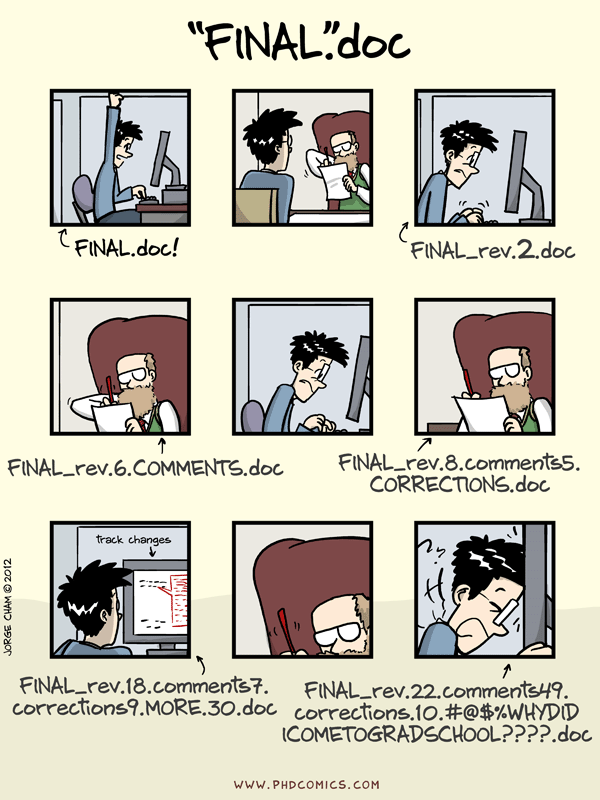
Imagine if 5 co-authors worked on a paper together using 'Track changes'. Either they have to work sequentially (slowing down the process) or they would have to manually merge their contributions. Also, even with track changes, you lose the history once the changes are accepted.
- “I will just finish my work and then you can start with your changes.”
- “Can you please send me the latest version?”
- “Where is the latest version?”
- “Which version are you using?”
We see how cumbersome writing a paper in parallel can become. Imagine how laborious it can get when geographically spread-out teams collaborate to develop and maintain a finite element model.
Here are few reasons we need version control.
Easy Branching
- Work in parallel or on different features
Robust Collaboration
- Avoid accidentally overwriting or overlooking someone else's changes/updates. Good conflict management.
Roll-back functionality
- Mistakes happen!
- Nothing commited to version control is ever lost
- Record of changes made: who and when. Makes it easy to track and go to previous version if needed
What can be version controlled?
Version control systems were orginally used for software development, but we can use it to version control almost everything:
- Everything that needs to be shared
- anything that changes overtime
- papers, books, datasets.
And Human Body Finite Element Models!
Why git?
- Most popular and widely used version control system
- Easy to setup - no server is required
- Efficient and distributed version control (no single point of failure, track and clean-up changes offline, simplifies collaboration model for open-source projects.)
- Important platforms such as GitHub, GitLab, and Bitbucket are build on top of Git.
VIVA+ Repository on OpenVT

Hands-on Activity: Explore the VIVA+ Repo
- Check out the VIVA+ online repository: https://virtual.openvt.eu/fem/viva/plus
Cloning a repository
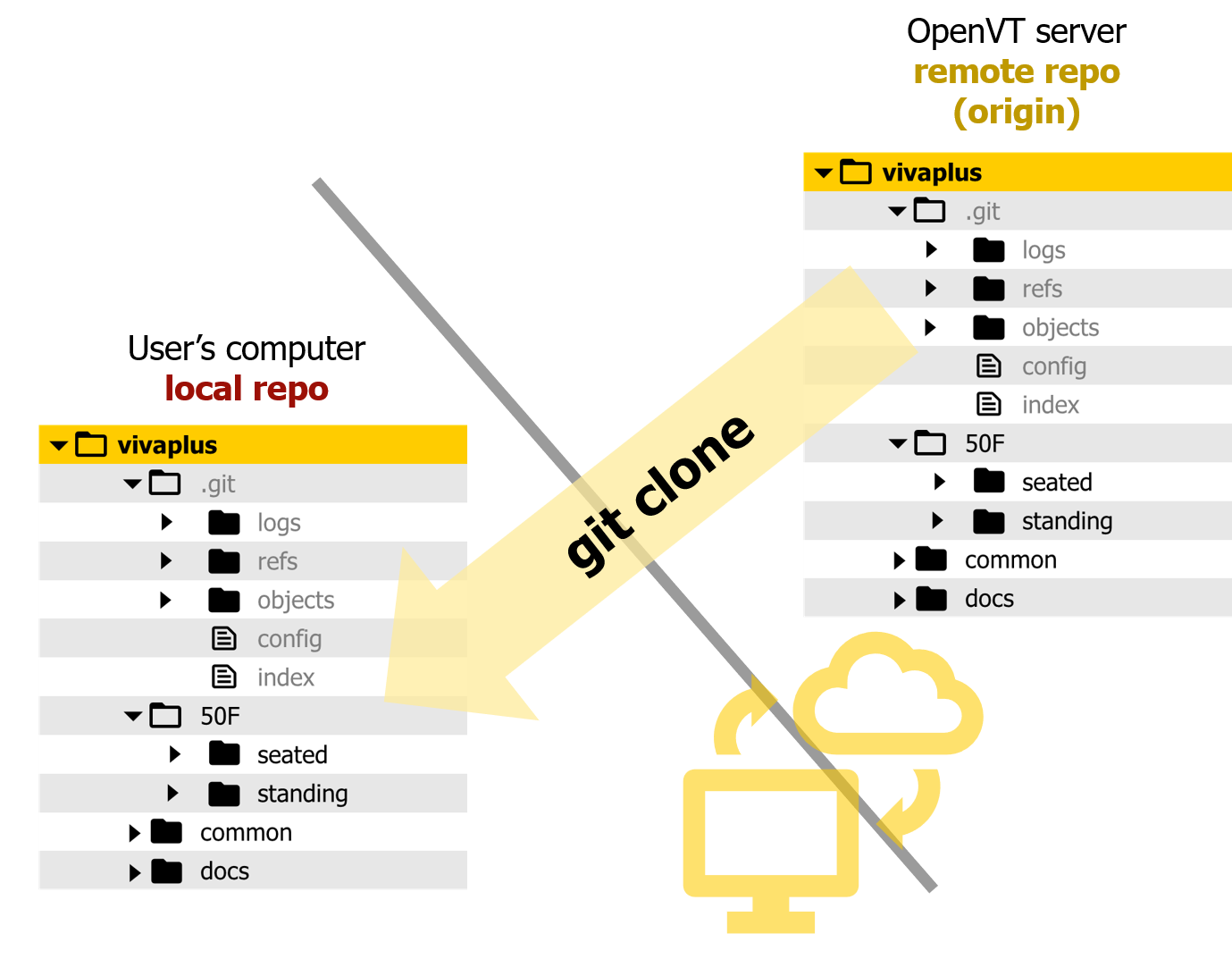
A Git repository (Repo) for version control is created in two ways:
- Enable version control on an existing folder
git init
- Get a copy of an existing git Repo
git clone
Hands-on Activity: Clone VIVA+ repo
-
Navigate to the location on your computer where you would like to clone the VIVA+ repo
-
Clone the VIVA+ repo using the command
git clone <link>(The link to clone is available on the top-right corner of the gitlab page)
git clone git@virtual.openvt.eu:fem/viva/plus.git -
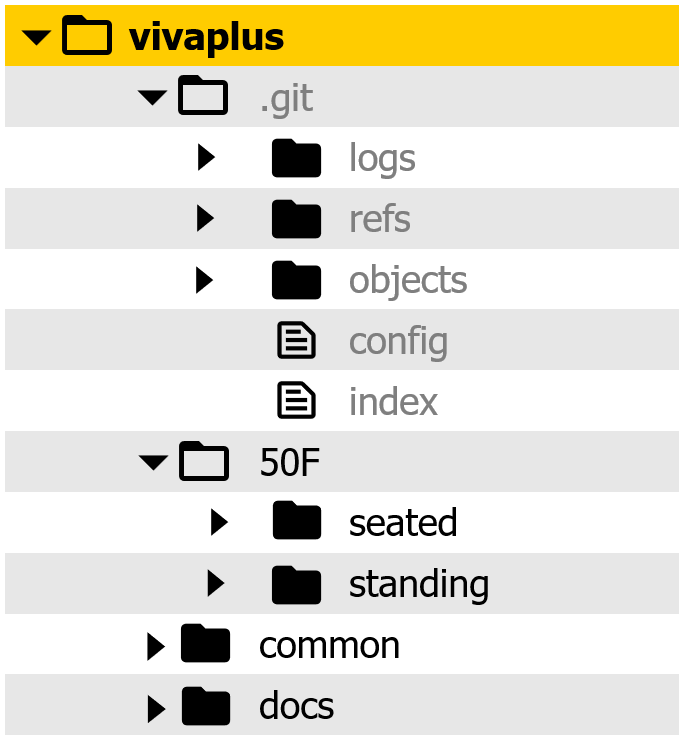
Open the directory on your computer to find the VIVA+ repo
(Note the
.gitsub-directory showing that this is a git repo)
Gitlab Issues
Gitlab issues are used to collaborate on ideas and plan work. "The GitLab issue tracker is an advanced tool for collaboratively developing ideas, solving problems, and planning work. Issues can allow sharing and discussion of proposals before, and during, their implementation."1
Hands-on Activity: Start an issue
For the hands-on exercise, we will be creating a list of the workshop participants collaboratively. In this step, you will create an issue to let the repo maintainers (workshop organizers) know that you would like to add your name to the participants list.
- Go to the exercise repository: https://virtual.openvt.eu/viva-workshops/workshop-exercise/
-
Start an issue to update the participants list
- On the Gitlab web interface, select
Issueson the left panel. You can create an issue by selectinglistorboard. - List gives you a list of all the issues posted on this repo - The board categorizes the issues based on their labels- Assign the issue to yourself as you plan to take care of this issue.
- On the Gitlab web interface, select
Git Basics
- What does Git do? Git tracks the content of a folder and tracks the changes over time as snapshots.
- When a change is ready to be saved, a snapshot of the folder is saved.
- In the Git world, save is known as commit
- These commits are kept in a sub-folder called
.git .gitcontains the whole repository/database (versions, history, ...)- You can interact with Git through mulitple interfaces: command line, graphical user interface, web interface
Every time a change in the folder is committed (saved), a new Commit is created: Commit 1, Commit 2, Commit 3, ...
-
Git does not create a copy of unchanged files (optimizes storage)
-
Every commit is a full snapshot of the whole folder
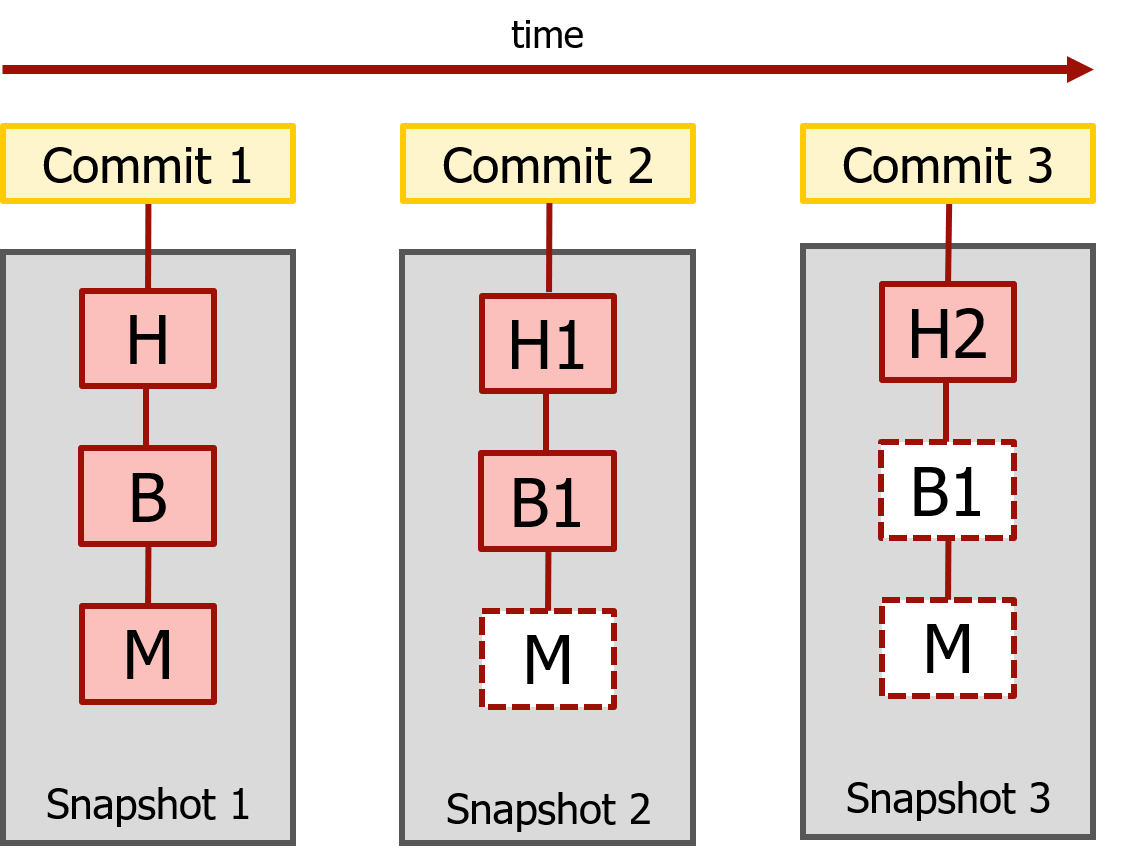
Each commit is connected to its parent: points to its parent as shown below (the files in the snapshots are not shown)

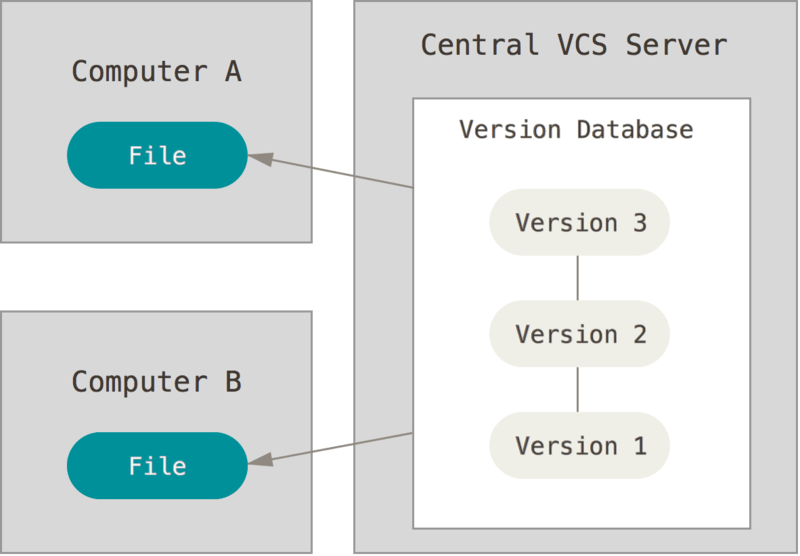
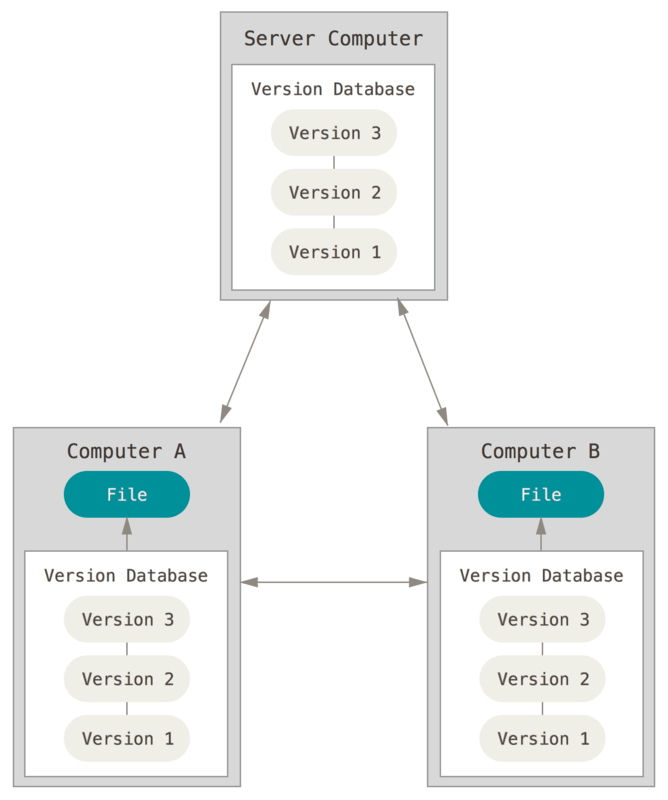
Git is a Distributed Version Control system. Unlike Centralized Version Control systems where the versions are kept on a single server and only the required files are checked out, Distributed Version Control systems, like Git, mirrors the whole repository from the server.
- In the exercise above, you received on your computer an exact clone of the whole VIVA+ repository that exists on OpenVT.
- "Every clone is really a full backup of all the data". 2
| Centralized Version Control | Distributed Version Control |
|---|---|
 |
 |
Some examples from the world of Biomechanics
These are some projects that are developed and/or maintained with Git
Summary
Recap
repo: Repository where the library/code lives and grows
commit: Git equivalent of "save"
git clone: Clone a remote repo to make a local repo on your computer
Attribution
Some sections on this page are based on following courses:
- Software Carpentry Lesson on Version Control with Git
- Coderefinery Introduction to Git
Figures:
-
PhD Comic, Jorge Cham, 2012, http://phdcomics.com/comics/archive.php?comicid=1531
-
Centralized and Distributed Version Control : Pro Git, 2ed(2014)